
The modern office is evolving, driven by technology that enhances productivity, collaboration, and employee satisfaction. From advanced displays to smart collaboration tools, today’s workplaces are designed to be efficient and adaptable. By integrating cutting-edge tech into office spaces, businesses can create environments that inspire creativity and streamline operations. Here’s how to design a tech-driven office that meets the demands of the future.
Optimizing Displays for Presentations and Collaboration
A high-quality display is essential for meetings, presentations, and brainstorming sessions. Whether sharing data visualizations or pitching ideas, clarity and impact matter. A 4K projector offers stunning resolution, projecting sharp, vibrant images that make every detail pop, even in well-lit rooms. Its ability to create large screens—up to 100 inches or more—ensures everyone in the room has a clear view, perfect for team huddles or client meetings.
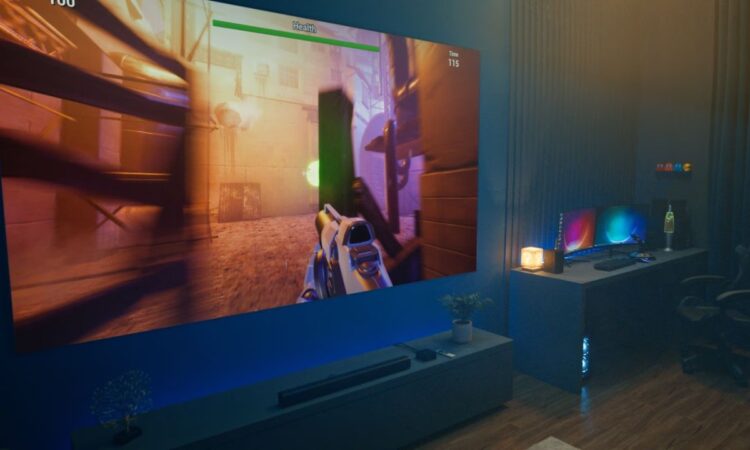
Position the projector based on room size, typically 1 to 1.5 times the screen’s diagonal size, to balance image clarity and viewing comfort. Pair it with a high-gain screen to boost brightness in spaces with ambient light. For versatility, a gaming projector can double as a display for employee entertainment, such as team-building game sessions, thanks to its low-latency performance.
Smart Collaboration Tools for Seamless Workflows
Modern offices thrive on connectivity. Smart collaboration tools, like video conferencing systems and interactive whiteboards, enable real-time teamwork, whether employees are in-room or remote. Platforms like Zoom or Microsoft Teams integrate with projectors for crisp video feeds, while wireless screen-sharing tech, such as Miracast or AirPlay, simplifies presentations.
A 4k projector enhances these tools by delivering high-resolution visuals, ensuring charts or designs are crystal clear. For hybrid meetings, pair it with a high-quality webcam and microphone to maintain professional communication. Ensure a robust Wi-Fi network or wired Ethernet to prevent lag, especially when streaming 4k content or sharing large files.
Audio Systems for Clear Communication
Audio quality is critical for meetings and presentations. A surround sound system or ceiling-mounted speakers can deliver clear audio for video calls or training sessions. Place speakers strategically—front speakers near the screen and side speakers at ear level—to ensure even sound distribution in larger rooms. For smaller offices, a compact soundbar can provide sufficient clarity without clutter.
When using a gaming projector for entertainment purposes, its low-latency audio sync ensures smooth playback during team events, like watching motivational videos or hosting virtual trivia. Test audio with varied content to fine-tune settings, and consider acoustic panels to reduce echo in glass-heavy offices.
Smart Lighting and Environmental Controls
Lighting plays a key role in productivity and comfort. Smart LED systems, controlled via apps or voice assistants, allow you to adjust brightness and color temperature to suit tasks—bright for brainstorming, softer for presentations. Bias lighting behind screens reduces eye strain during long meetings, complementing the clarity of a 4k projector.
Automated blinds or smart shades can control natural light, minimizing glare on projector screens. Integrate these with a smart hub to sync lighting with your projector’s operation, creating an optimal viewing environment with a single command.
Flexible Office Layouts for Multi-Purpose Use
Modern offices need to be adaptable. Modular furniture, like movable desks or rolling chairs, supports dynamic setups for meetings, training, or relaxation. Arrange seating in a U-shape or semi-circle for presentations to ensure clear sightlines to the projector screen. For multi-purpose spaces, a gaming projector’s portability allows easy reconfiguration, making it ideal for switching between work and team-building activities.
Add ergonomic chairs and standing desks to enhance comfort during long work hours. A snack station or coffee bar can boost morale, creating a welcoming atmosphere for employees and visitors alike.
Integrating Smart Systems for Efficiency
A smart office hub ties everything together. Systems like Crestron or Control4 can manage projectors, audio, lighting, and climate control from one interface. For example, you can program a “meeting mode” that dims lights, lowers blinds, and powers on the projector with one tap. Voice assistants can further streamline tasks, letting you start a presentation or adjust settings hands-free.
Ensure compatibility between devices to avoid glitches. A gaming projector, with its fast response times, can also support interactive displays for brainstorming apps, enhancing creative sessions.
Maintenance for Long-Term Performance
Keep your tech in top shape. Clean projector lenses and vents regularly to maintain image quality and prevent overheating. Check cables and wireless connections for wear to ensure stable performance. For gaming projectors, update firmware to optimize latency for both work and entertainment uses. Calibrate audio systems periodically to maintain clarity in meetings.
Conclusion
A tech-driven office combines advanced displays, smart tools, and thoughtful design to boost productivity and engagement. A 4k projector delivers crisp visuals for presentations, while a gaming projector adds versatility for team activities. By integrating smart controls and maintaining your setup, you can create a future-ready workspace that inspires success. Start designing your modern office today for a seamless, efficient experience.